The webinar is a free, approximately 90-minute online session.
Archives: Events
OTIP Retirement Fireside Chat
A casual setting and opportunity for discussion with an OTIP retirement expert.
The webinar is a free, approximately 90-minute online session.
OTIP Retirement Health, Dental and Travel Plans + Pension
The webinar is a free, approximately 90-minute online session.
OTIP Retirement Health, Dental and Travel Plans
The webinar is a free, approximately 90-minute online session.
OTIP Retirement Health, Dental and Travel Plans
The webinar is a free, approximately 90-minute online session.
OTIP Retirement Health, Dental and Travel Plans + Pension
The webinar is a free, approximately 90-minute online session.
OTIP Retirement Health, Dental & Travel Plans
The webinar is a free, approximately 90-minute online session.
Click here to check the schedule for availablity
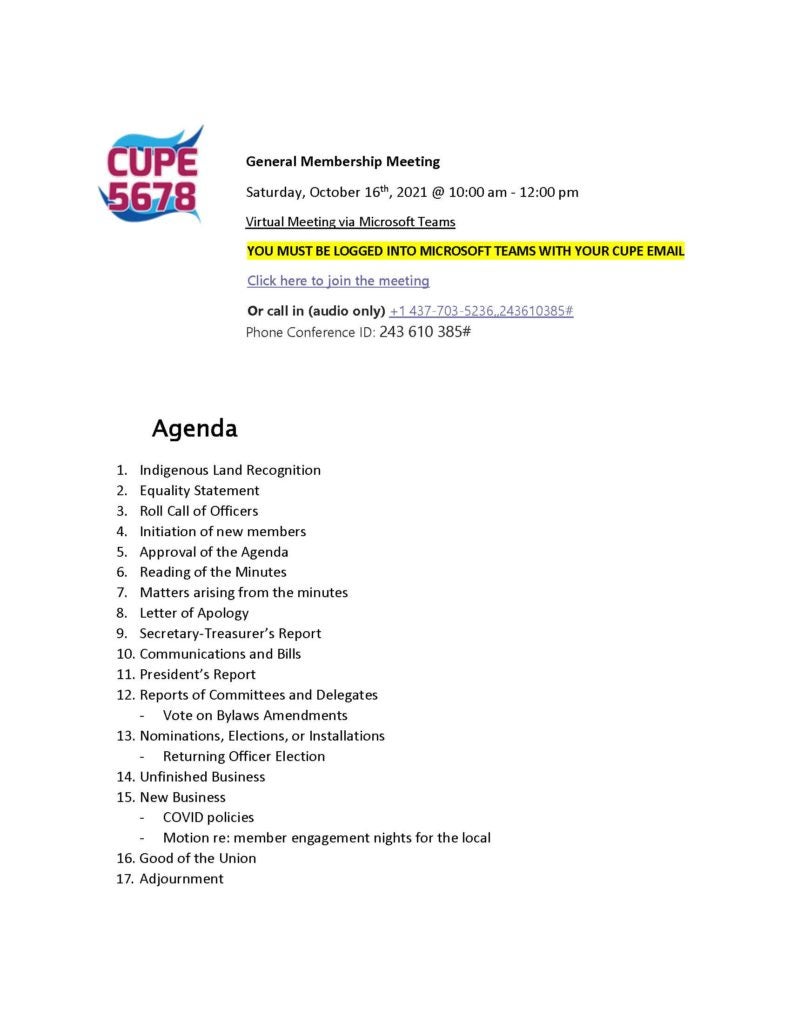
General Membership Meeting
YOU MUST BE LOGGED INTO MICROSOFT TEAMS WITH YOUR CUPE EMAIL
Click here to join the meeting
Or call in (audio only) +1 437-703-5236,,243610385#
Phone Conference ID: 243 610 385#
By-laws Meeting
We are going to try having an evening meeting since our facility department is done by 7 p.m. during the summer.
We have 3 articles that need to be reviewed. Sections 5, 8 and 13.
Microsoft Teams meeting
Join on your computer or mobile app
Click here to join the meeting
Or call in (audio only)
+1 437-703-5236,,912996974# Canada, Toronto
Phone Conference ID: 912 996 974#
By-laws Computer Assistance prior to 7 pm By-laws meeting
We will be online at 6 p.m. to try to assist with any computer issues, as you MUST be logged on to Microsoft Teams with your CUPE email in order to be able to vote. The online assistance will end at 6:50 so we can proceed with the meeting on time.
You can also send a request for assistance to info@cupe5678.ca or call the office.
Microsoft Teams meeting
Join on your computer or mobile app
Click here to join the meeting
Or call in (audio only)
+1 437-703-5236,,912996974# Canada, Toronto
Phone Conference ID: 912 996 974#